
Designing Animated Logos with AI
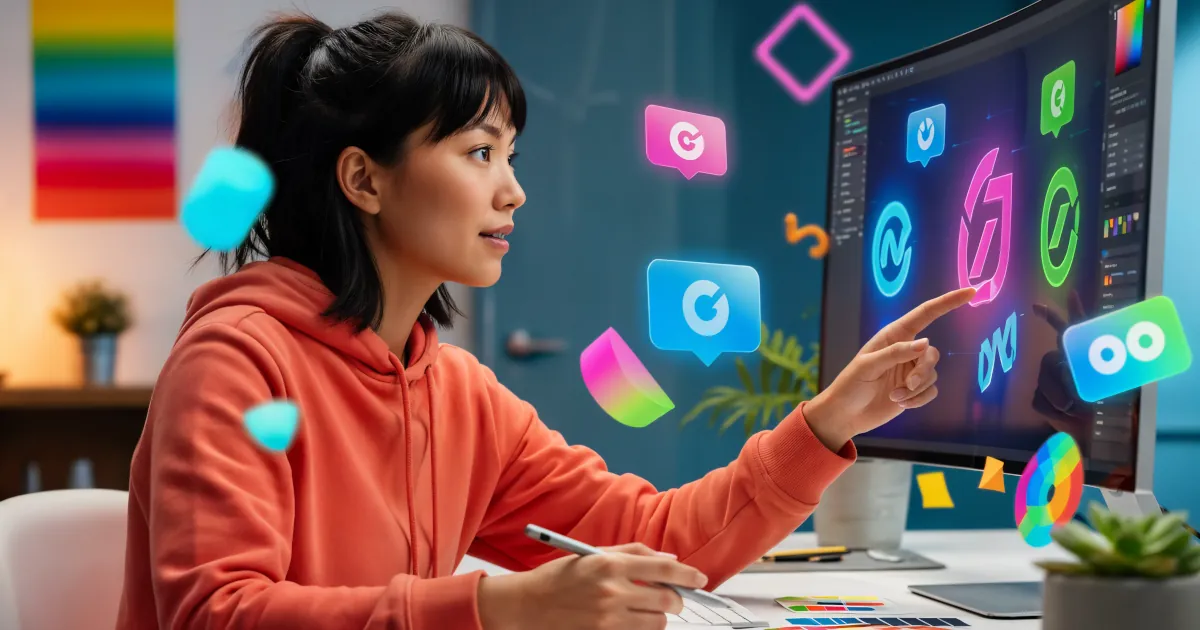
Your logo doesn’t have to sit still anymore. With today’s tools, it can spin, bounce, glow, morph, and basically dance its way into your audience’s memory. Even better: you don’t need to be a motion graphics pro to pull it off.
This is where AI steps in. Using AI for creative business identity means you can brainstorm, design, and animate logo concepts in hours instead of weeks. Let’s walk through how to use AI to give your brand a living logo that stands out on social media, websites, and video content.
Why Animated Logos Work So Well
A static logo is a signature. An animated logo is a story. When your logo moves, it:
- Grabs attention: Motion instantly pulls the eye, especially on crowded feeds.
- Feels modern and premium: Smooth animation signals that you care about detail and experience.
- Shows personality: A playful bounce vs. a sleek fade-in tells people what kind of brand you are.
- Sticks in memory: Movement and sound (if you add audio) make your brand much more memorable.
Traditionally, this kind of motion branding meant hiring a motion designer or learning complex tools like After Effects. Now, AI can help you generate ideas, assets, and even animation concepts with a fraction of the effort.
Step 1: Clarify Your Brand Personality Before You Animate
Before you touch any AI tool, get clear on what you want your logo to feel like. AI is powerful, but it still needs direction.
Ask yourself:
- Are you playful, bold, rebellious or calm, minimal, elegant?
- Are you more techy, artsy, eco-conscious, or luxury-focused?
- Where will your animated logo live most often: TikTok, Instagram, YouTube, website, app splash screen?
Write a quick brand identity snapshot:
“We’re a friendly, modern brand that helps small creators monetize their content. We want a clean, bold logo with smooth, confident motion. No cartoony bouncing; more like Apple or Notion vibes.”
This tiny paragraph becomes your north star when prompting AI and reviewing results.
Step 2: Use AI to Brainstorm Logo Concepts
If you already have a logo, you can skip to Step 3. If not, this is where AI can help you rapidly prototype a visual direction.
Try text-to-logo image generation
Use an AI image tool (e.g., Midjourney, DALL·E, Stable Diffusion–based tools, or any logo-focused generator) and prompt carefully.
Example prompts:
- “Flat, minimal logo for a creative AI branding studio, bold geometric shapes, electric blue and white, clean vector style, strong silhouette, simple icon that works well in motion.”
- “Playful logo for a small bakery, soft rounded shapes, pastel colors, thick outlines, simple icon that could easily spin or bounce in animation.”
Generate multiple options, then:
- Look for simple shapes that will animate well.
- Avoid ultra-detailed artwork; it’s harder to animate and won’t read well at small sizes.
- Focus on icon + wordmark combinations that can be separated for animation.
Once you’ve found a concept you like, either:
- Clean it up in a vector tool (Figma, Illustrator, Affinity Designer), or
- Hand it off to a designer to vectorize properly.
The vector version is what you’ll animate.
Step 3: Plan the Motion: How Should Your Logo Move?
Now we get into the fun part: motion behavior. AI can help you brainstorm motion concepts, but you should still think in simple, clear actions.
Some easy animation ideas for logos:
Reveal animations
- Logo draws itself with a line.
- Icon slides in; text fades or wipes in.
- Shapes “assemble” from scattered pieces.
Characterful motion
- A circular logo gently “breathes” (subtle scaling up and down).
- A star icon rotates once as it appears.
- A letter morphs into the icon, then back into text.
Looping animations
- A continuous glow pulsing around the icon.
- A simple rotation or orbit for social avatars.
- Repeating underline or highlight on the wordmark.
You can even ask an AI assistant:
“Suggest 10 subtle animation ideas for a minimal tech logo that should feel calm and premium.”
Use the best ideas as a storyboard: sketch each step or write it out.
Step 4: Let AI Help With the Actual Animation
You have a logo and a motion idea. How does AI make the animation easier?
1. AI motion presets and templates
Many design tools now come with AI-powered animation suggestions and templates. Look for:
- Web-based video editors with “logo animation” templates.
- Presentation tools and social video tools that let you upload a logo and choose from animated intros or outros.
You upload your vector or PNG, pick a style, tweak colors, and export. While this isn’t fully custom motion design, it’s a fast way to get something polished.
2. AI-assisted keyframing
Some tools analyze your logo layers and propose motion paths, easing, and timing. They might:
- Detect your icon and text as separate parts.
- Suggest ways they can slide, fade, or bounce in.
- Apply realistic easing so the motion feels smooth, not mechanical.
You keep creative control but skip a lot of manual fiddling.
3. Turning prompts into motion
More advanced tools are starting to accept prompts like:
“Make the circle icon appear by drawing its outline clockwise, then fill it with color, then fade in the brand name from left to right over 1.5 seconds.”
The tool builds a basic animation sequence, which you then tweak. It’s like talking to a motion assistant.
Step 5: Keep It Simple and Brand-Consistent
When using AI for creative business identity, it’s tempting to go wild. But a logo animation should be:
- Short: 1–3 seconds is usually enough.
- Recognizable: Don’t distort the logo so much that people can’t tell what it is.
- On-brand: Motion style should match your voice. A law firm probably shouldn’t have a bouncy cartoon pop-in.
Check these points:
- Colors: match your brand palette.
- Timing: is it snappy and confident, or slow and calming, as intended?
- Sound: if you add audio, keep it subtle and aligned with your brand personality.
Your animated logo should work across multiple uses:
- Video intros and outros.
- Social media posts and Stories.
- Website headers or loading screens.
- App splash screens.
If it looks good tiny and big, fast and slow, you’re in a good place.
Step 6: Test, Refine, and Create Variations
The beauty of AI-powered workflows is how fast you can iterate.
- Create a hero version for video intros (2–3 seconds).
- Create an ultra-short version for social profile loops (0.5–1 second).
- Create a subtle idle loop for app or website (e.g., gentle glow every few seconds).
Ask people:
- Does this animation match what you think our brand is like?
- Does it feel cheap, over-the-top, or smooth and intentional?
- Does it feel too slow? Too fast?
Use that feedback to refine. Small changes in speed, easing, or distance can completely change the mood.
Using AI for Creative Business Identity: Your New Branding Superpower
Animated logos used to be a “nice-to-have” reserved for big brands. AI has turned them into a realistic everyday asset for solo creators, small businesses, and startups.
With AI:
- You generate logo concepts faster.
- You brainstorm motion ideas more creatively.
- You animate with templates, suggestions, and prompts instead of starting from zero.
The result: a living, breathing logo that doesn’t just show who you are, but how you move through the world.
If you want more tutorials on AI branding, logo design, and motion tricks, make sure you subscribe. Your brand identity is about to get a serious upgrade.