
How Filmmakers Use AI to Previsualize Scenes
Discover how pros use AI for shot planning, long before a camera rolls. If you’ve ever tried to storyboard an ambitious scene and thought, “There has to be a faster way,” this is for you.
Let’s dig into what you need AI video tools for film planning, how they actually fit into a real workflow, and how you can start using them without needing a Marvel-sized budget.
What Is AI Previsualization, Really?
Previsualization (previs) is the process of planning your shots before you shoot:
- Storyboards
- Animatics
- Overhead diagrams
- Rough 3D mockups
AI previs is all of that, but turbocharged.
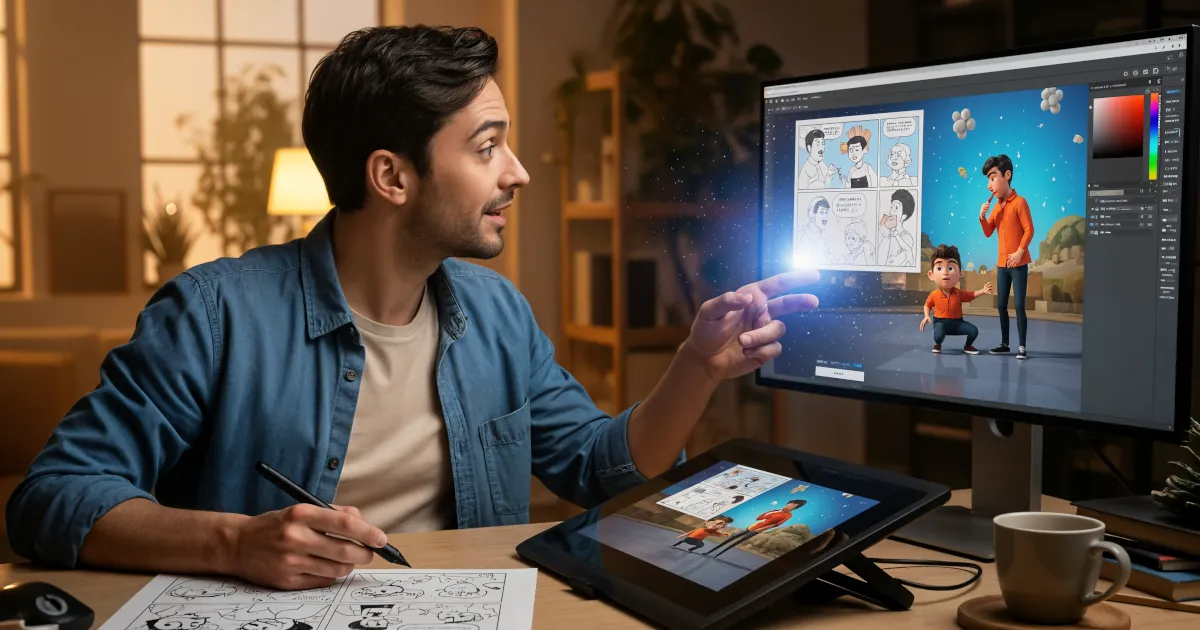
Instead of hand‑drawing every frame or spending weeks building 3D animatics, filmmakers use AI tools to:
- Generate rough shots or camera moves from text prompts
- Build quick 3D environments and block characters
- Simulate lighting and lenses
- Test edit a sequence before spending a cent on location or talent
The goal isn’t to replace creativity. It’s to remove busywork so you can test more ideas in less time.
Why Filmmakers Use AI for Shot Planning
Here’s what you actually need AI video tools for film planning to do in the real world:
1. Turning Script Pages into Visual Options
You’ve got a scene:
INT. DINER – NIGHT
Neon lights flicker. Rain hits the window. Our hero sits alone in a cracked red booth.
Traditionally, you’d either sketch or describe this to a storyboard artist, then wait. With AI tools:
- You paste in your scene description
- Add visual prompts like: “1970s neon diner, moody, wide angle, low-key lighting”
- AI generates a series of images or animated shots
- You iterate: “Make it closer. Add more rain. Push the neon reflections.”
You’re not locked into one interpretation. In an hour you can explore ten different looks and pick the strongest.
2. Previs for Complex Camera Moves
Need a crane shot that wraps from overhead to a close-up? A one-take hallway fight? A car chase?
AI previs tools can:
- Simulate camera moves in a 3D or 2.5D environment
- Let you test different focal lengths and moves
- Show you where the camera, dolly, or gimbal would be in relation to actors
This helps you figure out:
- Whether the move is even possible
- How much space you need on set
- Where to hide lights, crew, and gear
You walk into the shoot knowing exactly what you want and how to get it.
3. Blocking and Staging Before Rehearsals
Blocking can eat entire days on set. AI tools help you pre-block by:
- Dropping simple character models into a 3D room
- Assigning rough positions: “Actor A enters door, crosses to table, sits”
- Moving a virtual camera to see which compositions work
You end up with:
- Overhead blocking diagrams
- Rough shot sequences
- A clear plan to share with your AD, DP, and cast
Rehearsals become about performance, not “Where do I stand again?”
4. Quick Animatics for Pacing and Rhythm
You can cut a rough version of your scene before shooting anything:
- Generate key shots with AI (still images or rough video)
- Throw them into your NLE or AI editor
- Cut them to temp music or dialogue
- Adjust timing, shot length, and transitions
You see the rhythm of the scene early. Maybe you realize:
- You don’t need that extra insert
- The scene plays better as a series of longer shots
- You actually need one more wide for breathing room
Finding this now is way cheaper than finding it in post.
5. Visual Communication With Your Team (And Clients)
AI previs is an incredible communication tool.
- Directors show DPs: “This is the lighting mood I’m after.”
- DPs show gaffers: “We need this contrast and direction of light.”
- Producers show clients or investors: “Here’s roughly how the sequence will look.”
You swap vague descriptions like “gritty but cinematic” for concrete visual references everyone can see.
How AI Fits Into a Real Filmmaking Workflow
Here’s a practical example of how pros use AI tools for film planning from script to set.
Step 1: Mood and Look Development
- Use image-generation AI to create mood boards: color palettes, lighting style, production design ideas.
- Refine prompts until the look feels consistent across locations and scenes.
This gives your art, wardrobe, and camera departments a shared visual north star.
Step 2: Scene Breakdown into Shots
- Highlight key beats in the script: reveals, emotional turns, big actions.
- For each beat, generate 2–3 candidate frames using AI image tools.
- Decide: wide vs close, static vs moving, handheld vs locked-off.
You end up with a visual shot list, not just words on a page.
Step 3: Build AI-Assisted Storyboards or Animatics
- Choose your best AI-generated frames and arrange them in sequence.
- Use a simple AI video tool or your editor to add pans, zooms, or basic camera moves.
- Drop in temp dialogue or voiceover of the script lines.
Now you can feel the scene, not just imagine it.
Step 4: 3D Previs for Technical or VFX-Heavy Shots
For stunts, VFX, or tricky logistics:
- Import basic 3D geometry of the location (or a rough AI-generated stand-in).
- Drop in stand-in characters or vehicles.
- Plan camera paths, heights, and angles.
From this, you can produce:
- Floor plans
- Lens and distance references
- Safety and stunt plans
This is huge for second units, VFX supervisors, and coordinators.
Step 5: Translate AI Previs Into a Shooting Plan
Once the previs feels right:
- Turn frames into a numbered shot list with lens info and notes.
- Export overhead diagrams for blocking.
- Share previs clips or image boards with department heads.
By shoot day, everyone understands:
- What we’re shooting
- Why we’re shooting it that way
- How it fits into the edit
What AI Can’t (And Shouldn’t) Do
AI previs is a tool, not a director.
It can’t:
- Understand nuance of performance or subtext the way humans do
- Replace real location scouts and on-set problem-solving
- Guarantee that what you see in previs is exactly what you’ll get in camera
What you need AI video tools for film planning to do is help you explore, not dictate. The best filmmakers treat AI previs like:
- A hyper-fast concept artist
- A rough sketchbook that can move in 3D
- A sandbox for bad ideas you’d never risk on set
Your taste still matters more than the tool.
Getting Started Without a Huge Budget
You don’t need a studio pipeline to try this. To begin:
- Pick one upcoming scene you’re unsure about.
- Use an AI image generator to create 10–20 possible frames.
- Drop them in your editing software and cut a 30–60 second animatic.
- Show it to a DP or filmmaking friend and ask, “Would this help you on set?”
From there, you can layer in more advanced tools:
- AI video generators for rough moving shots
- Simple 3D blocking tools for overheads
- AI editing assistants to automatically create alternates
Start small. Let the tools prove their value in one sequence before you overhaul your whole process.
Why This Matters for the Future of Filmmaking
As AI becomes more accessible, previs stops being a luxury for big-budget productions. It becomes a standard part of everyone’s workflow.
Independent filmmakers and small teams get:
- Faster iteration
- Clearer communication
- Fewer expensive on-set surprises
The tech will change, but the core question won’t:
What do you need AI video tools for film planning to do for you?
If the answer is: “Help me test ideas, communicate clearly, and shoot smarter,” then it’s worth bringing them into your process.