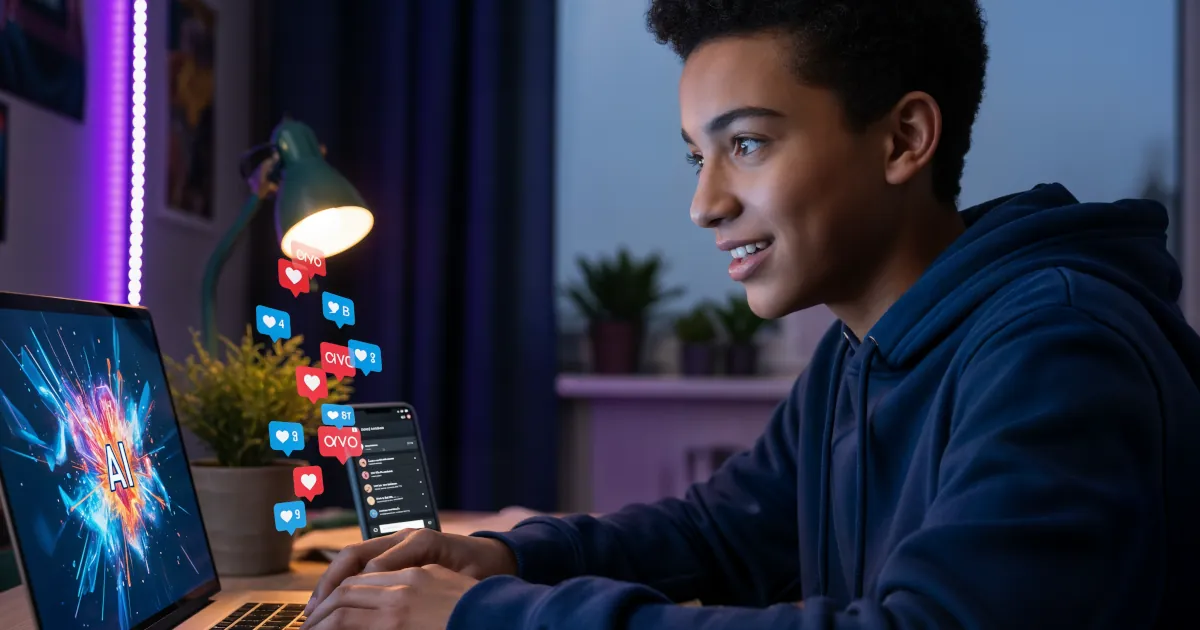

Make Viral Social Media Posts with AI Art
If you’re scrolling through social media thinking, “How is everyone else making such cool posts?” the secret is out: a lot of them are using AI.
AI image creation for social media growth isn’t just a buzz phrase. It’s a legit shortcut to viral-looking content without needing to be a designer, photographer, or Photoshop wizard.
This guide breaks down how to use AI art to create scroll-stopping content, grow your audience, and do it all faster than ever.
Why AI Art Works So Well on Social Media
Social media is a visual battlefield. People scroll fast, and you have maybe a second to make them stop. AI-generated images help you win that second by being:
- Visually unique – AI can combine styles and ideas you’d never think of.
- On-brand – You can train or guide AI to match your colors, fonts, and vibe.
- Fast to produce – No photoshoots, no stock photo rabbit hole, no designer deadlines.
- Endlessly remixable – One idea can become 10 posts, 20 variations, and a whole content series.
The real magic: when you combine strong visuals with a clear message and a smart hook, your content becomes highly shareable and saves you time.
Step 1: Pick the Right AI Image Tool
You don’t need to be a tech nerd. Most AI tools are simple: type a description in, get a picture out. Popular options include:
- Midjourney – Great for artistic, cinematic, or surreal visuals.
- DALL·E – Excellent for creative concepts and fun, illustrated styles.
- Canva’s AI image generator – Perfect if you already design in Canva.
- Adobe Firefly – Strong for branded, polished content and integrated with Photoshop/Express.
If you’re just starting:
- Use Canva + AI for posts, covers, carousels, and reels thumbnails.
- Use Midjourney or DALL·E for wow-factor, “how did you make that?” kind of visuals.
Step 2: Write Prompts That Actually Go Viral
AI image tools are only as good as your prompts. Think of your prompt as a director’s note to a super-fast artist.
Instead of:
“A cat picture”
Try:
“A dramatic close-up of a black cat wearing futuristic neon sunglasses, cyberpunk city lights in the background, ultra-detailed, cinematic lighting, 4k”
To craft solid prompts for social media:
- Subject – What’s in the image? Person, object, scene, product?
- Style – Realistic, cartoon, minimal, 3D, watercolor, cyberpunk, etc.
- Mood – Fun, mysterious, cozy, high-energy, luxury.
- Composition – Close-up, wide shot, portrait, flat lay, text space on the left, etc.
- Platform fit – Square (Instagram), vertical (Reels/TikTok/Shorts), horizontal (YouTube, Twitter/X headers).
Example prompts for content creators:
- “A confident content creator sitting at a desk surrounded by floating social media icons, pastel color palette, clean modern illustration, space on the right for text, square format”
- “A viral-looking YouTube thumbnail style image, shocked person pointing at a smartphone glowing with AI-generated art, bold contrast, high saturation, dramatic lighting, 16:9”
Small extra detail in your prompt = big difference in your image.
Step 3: Turn AI Art Into Viral-Ready Posts
A pretty image alone doesn’t make a viral post. You need three things working together:
- Hook – What makes someone stop scrolling?
- Visual – The AI art that supports your hook.
- Payoff – What the viewer learns, feels, or gets.
Examples by Platform
Instagram / TikTok / Reels
- Hook text on screen:
“This AI hack made my posts blow up” - Visual:
AI-generated image of a phone exploding with colorful content, likes and followers flying out. - Payoff:
Short tutorial showing how you created the AI art and turned it into a carousel or reel.
Twitter / X
- Tweet:
“I replaced all my stock photos with AI art for 30 days. Here’s what happened to my reach.” - Image:
A split-screen AI graphic: dull grey content on the left, bold colorful AI art on the right, with arrows and “Before/After” text.
YouTube thumbnail
- Title:
“I Let AI Design My Content For A Week” - Thumbnail:
AI-generated version of you with an exaggerated expression, surrounded by surreal AI artwork, big bold text like: “AI Took Over My Channel.”
When your visual and your hook line tell the same story, your chances of going viral jump dramatically.
Step 4: Use AI Images to Build a Consistent Brand
Viral is good. Recognizable is better. You want people to see a post and say, “Oh, that’s definitely from them.”
With AI image creation for social media growth, you can:
- Pick 2–3 consistent styles (e.g., pastel 3D, bold comic-style, clean minimal).
- Choose brand colors and always mention them in your prompts:
- “Soft pastel pink and teal color palette”
- “Black and gold luxury color scheme”
- Keep composition patterns similar:
- Face on the left, text on the right.
- Product centered, glow around it, text below.
Example repeatable prompt pattern:
“Minimal flat illustration of a creator working at a laptop, soft pastel blue and peach color palette, clean white background, space on top for bold text, square for Instagram”
Reuse and slightly tweak that prompt for:
- “Creator editing a video”
- “Creator checking analytics”
- “Creator brainstorming content ideas”
Now your feed looks unified instead of random.
Step 5: Turn One Idea into Multiple Posts with AI
Smart creators don’t create more. They repurpose better.
Take one AI image concept and spin it into:
- Carousel – 5–10 slides explaining a concept step-by-step with the same style.
- Shorts/Reels – A quick “Watch me create this AI art and turn it into a post” video.
- Story – Behind the scenes: show the raw prompt, different variations, and the final version.
- Pinterest pin – Vertical version of your image with a catchy text overlay.
- Twitter/X thread – Image at the top with a mini case study of how the post performed.
The faster you can turn ideas into multiple pieces of content, the easier it is to stay consistent and grow.
Step 6: Add Text, Context, and Personality
AI gives you the art. You bring the voice.
Ways to make your AI images more shareable:
- Bold text overlays:
- “Stop scrolling. Try this.”
- “Steal this content idea.”
- “3 AI hacks to grow your page.”
- Mini tutorials:
- Post the AI image and explain your exact prompt in the caption.
- Behind-the-scenes:
- Show the ugly first version vs. the polished final post.
- Relatable angles:
- “Content creators when they discover AI art for the first time.”
- Pair with a fun, exaggerated AI image.
People share posts that make them look smart, inspired, or understood. Your AI visuals help them feel that.
Step 7: Track What Actually Works
To grow with AI image creation, don’t just post and hope. Pay attention to:
- Saves and shares – These are strong signals your content is valuable.
- Watch time on Reels/Shorts – Did people stay till the end?
- Click-throughs – If you use AI art on thumbnails, do more people tap?
When a certain visual style or format pops off:
- Reuse the style.
- Change the topic, not the format.
- Build a mini content series based on what worked.
Quick Practical Prompts You Can Steal
Try these for your next posts:
For hooks and carousels
“A bold, minimal flat illustration of a smartphone screen overflowing with colorful social media icons, clean white background, bright accent colors, space in the center for text, Instagram square”For Reels / Shorts covers
“Dramatic, high-contrast image of a content creator surrounded by glowing AI-generated art, dark background, cinematic lighting, large space on the right for vertical text, 9:16 format”For profile/brand vibe
“Stylized portrait of a digital creator in a modern studio, neon lighting, techy yet cozy vibe, soft gradients, brand colors of purple and teal, detailed but clean, square format”
Run a few variations. Pick the strongest. Add a simple, punchy caption. Post.
Want More AI Content Hacks?
If you’re serious about using AI image creation for social media growth, this is just the beginning.
Create, test, tweak, and repeat. Watch which visuals make people stop, comment, and share. Then double down.
And if you like seeing how these posts are actually made step-by-step, subscribe and stick around for more content creator hacks, AI tools, and viral post breakdowns.