
AI Image Generator Free Plans Compared: Credits and Limits
Leonardo AI hands out 150 free tokens a day. How ImagineArt, Adobe Firefly and Open Art compare on credits, image rights and the price of upgrading.
 Emma Rodriguez
4 min read
AI rendering platform specialised for architectural visualisation, interior design, and product concept art — sketch-to-render workflows.
PromeAI is a sketch-to-render platform aimed at architects, interior designers and product visualisers who want to skip a V-Ray or Lumion setup for early-stage client work. The pitch is direct: feed in a hand-drawn floor plan, a CAD export or a rough sketch, pick a style, and get a photoreal interior or exterior back in roughly 5 to 15 seconds.
Reviewers from Unite.AI, TechJarvis and 3D Next all corroborate the speed claim against everyday hardware. We think the structural feature that sets PromeAI apart is geometry preservation. Educasium's architectural comparison flags that the model retains the original geometry during transformation, where Midjourney generates without geometric precision.
For architects, that distinction is load-bearing: a render that drifts on proportion or window placement is unusable in a client deck, and a model that holds the lines is. Style coverage is unusually broad. Reviewers cite over 100 built-in architectural styles, spanning modern, classical, minimalist, industrial, Japanese and Mediterranean, with a custom-model option for studios that want a recognisable house aesthetic.
The Consistency Model holds a unified look across a project, so a single reference can carry through multiple perspectives of the same building, which matters when every render in a presentation needs to match. Pricing tilts toward commercial users. The Standard plan runs $39/month, or $29/month on annual billing, and adds commercial licensing, watermark-free output and credit roll-over while the subscription stays active.
That last point is meaningful for studios with uneven workloads, because credits do not expire monthly the way they do on most competing platforms. The free tier, by contrast, is shallow: 10 coins per month, watermarked output, no HD downloads and personal-use-only licensing, which covers a brief look but not a real evaluation.
The limits are honest. 3D Next measured roughly 75-85% realism from sketches and 70-80% from text prompts, which falls short of fully client-ready photorealism without retouching. There is no native plugin for SketchUp, Rhino or Revit, so the workflow involves exporting screenshots from the CAD app and uploading them, which adds friction versus tools like Veras AI that sit inside the modelling environment.
Human figures and complex mechanical geometry remain weak, and cloud-only processing is a non-starter for studios with confidential project data. We'd recommend PromeAI for the concept-to-mood-board stage, with full visualisation pipelines staying on traditional renderers for now.
Image transformation capabilities
Image upscaling capabilities
Image inpainting/editing capabilities
Image outpainting capabilities
Text prompt to image generation
Apply artistic styles to images
Generate multiple images at once
The image-generation models a user can pick in the tool
Allows commercial use of generated images
Offers a free tier with basic features
Available support channels
Provides API access for developers
Leonardo AI hands out 150 free tokens a day. How ImagineArt, Adobe Firefly and Open Art compare on credits, image rights and the price of upgrading.
Emma Rodriguez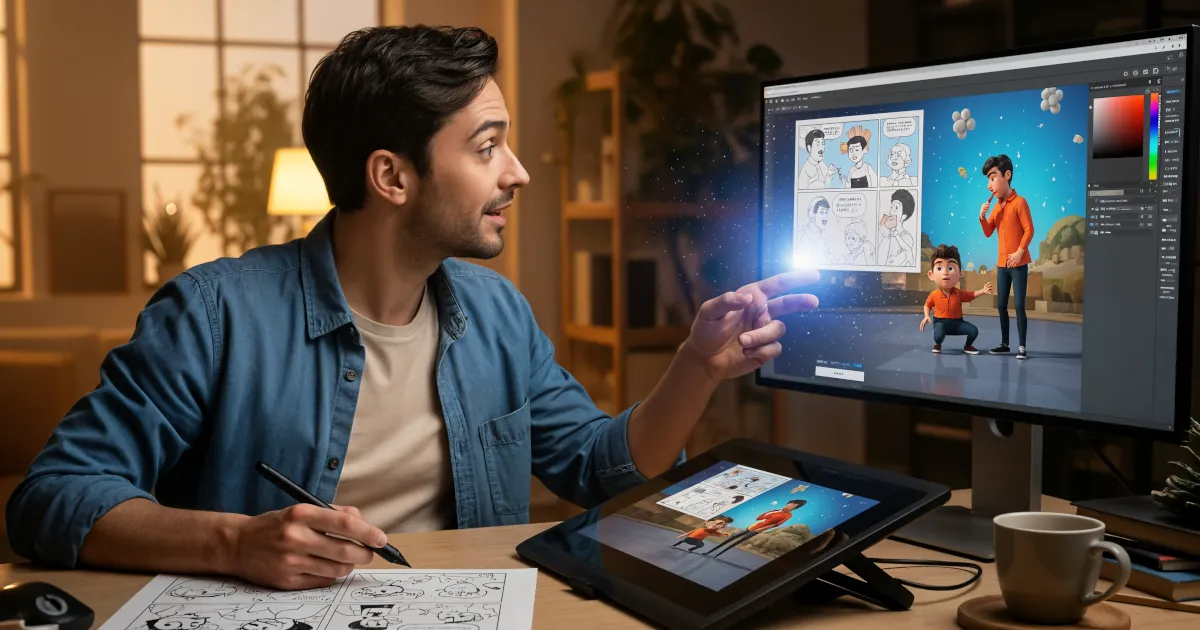
Ever wished you could create your own cartoon series, but got stuck at “I can’t draw” or “Animation takes forever”?
Emma Rodriguez
Discover how pros use AI for shot planning, long before a camera rolls. If you’ve ever tried to storyboard an ambitious scene and thought, “There has to be a faster way,” this is for you.
 Sarah Mitchell
AI image and editing platform with workflow tools targeted at photographers and designers: background removal, upscaling, generative fill.
AI image platform with strong control features — image-to-image, inpainting, outpainting, style transfer, and fine-tuning on custom datasets.
Adobe’s AI image suite, trained on Adobe Stock and licensed content. Integrated into Photoshop, Illustrator, and Express. Outputs carry commercial-use rights.
Detailed feature analysis, performance benchmarks, and pricing comparison
Security protocols, server networks, and streaming capabilities compared
Speed tests, privacy policies, and user experience evaluation