
Using AI to Create Fashion Lookbooks
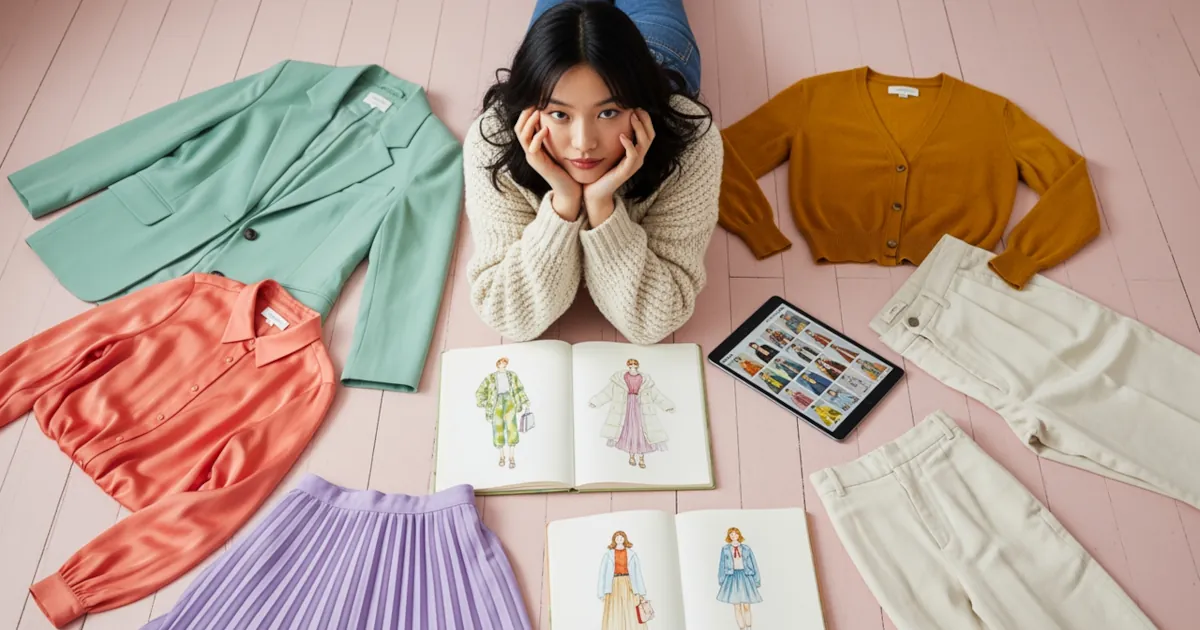
Turn your outfit ideas into pro visuals without a camera, models, or studio lighting. That’s the magic of AI image tools for design and fashion. Whether you’re a stylist, designer, influencer, or just very serious about getting dressed, AI can help you build stunning lookbooks that look like they came from a high-end magazine shoot.
In this guide, we’ll walk through how to go from an idea in your head to a polished AI-powered fashion lookbook you can share, sell, or use as your creative mood board.
Why Use AI for Fashion Lookbooks?
AI image generators and style tools are perfect for fashion because they’re:
- Fast – Go from concept to visuals in minutes, not weeks.
- Cheap – No studio, photographer, or big production needed.
- Experimental – Try daring looks, fantasy locations, and impossible outfits with zero risk.
- Consistent – Create a cohesive aesthetic for a brand, collection, or personal style.
If you’re building a capsule wardrobe, launching a small brand, pitching to a client, or growing a style-focused social account, AI gives you visuals that make your ideas look real.
Step 1: Define the Story of Your Lookbook
Before touching any AI tools, decide what your lookbook is actually about. AI is powerful, but vague ideas give you vague images.
Ask yourself:
- What’s the theme?
- Minimalist streetwear
- Y2K party looks
- Resort wear vacation vibes
- Dark academia for fall
- Who is it for?
- Gen Z festival-goers
- Corporate girlies who still love fashion
- Plus-size body-positive style
- Modest fashion with edge
- Where does it live?
- Instagram carousel
- PDF download
- Brand pitch deck
- Etsy or Shopify product gallery
Write a quick one-sentence concept, like:
“A digital lookbook of 10 cozy, gender-neutral fall outfits styled for city life, shot in moody cinematic streets.”
That one sentence will guide your prompts and make your AI images feel like they’re all part of the same world.
Step 2: Pick Your AI Image Tools
There are tons of AI image tools for design and fashion, but you don’t need to use them all. Here are the main categories and what they’re good for:
1. AI Image Generators
These turn text prompts into full images:
- Midjourney – Artistic and stylish, great for editorial and concept looks.
- DALL·E / ChatGPT image tools – User-friendly, good for quick experimenting.
- Stable Diffusion (and web apps built on it) – Very flexible and customizable.
Use these to:
- Visualize outfits that don’t exist yet.
- Create editorial-style images for your lookbook.
- Test color palettes, silhouettes, and textures.
2. AI Fashion Try-On & Model Tools
These focus more on clothes on bodies:
- Tools that let you upload garments and see them on AI models.
- Some platforms offer “virtual models” you can style in different poses.
Use these to:
- Show the same outfit on different body types.
- Keep the same “model” across your entire lookbook.
- Make product-style images if you’re selling clothes.
3. AI Editing & Layout Tools
Once you have your images:
- Canva with AI features – Easy layouts, text, and templates.
- Figma / Adobe Express – Great for more custom lookbook designs.
Use these to:
- Add titles, outfit names, and styling notes.
- Lay out your pages like a real magazine.
- Create covers, section dividers, and callout text.
Step 3: Write Fashion-Friendly AI Prompts
The secret to getting great AI fashion images is the prompt. Think like a stylist and a photographer at the same time.
Break your prompt into these parts:
- Garment + Style
- “Oversized beige trench coat layered over a black turtleneck and wide-leg trousers”
- Aesthetic / Vibe
- “minimalist,” “editorial,” “street style,” “Korean fashion,” “luxury runway”
- Setting / Background
- “night city street with neon lights”
- “sunny Paris balcony with flowers”
- Photo / Render Style
- “high-fashion editorial photography, soft lighting, 35mm lens look”
- “clean e-commerce product photo on white background”
Example:
“High-fashion editorial photo of a model wearing a monochrome cream outfit: oversized blazer, wide-leg trousers, minimalist gold jewelry. Soft natural lighting, shot in a modern concrete apartment with big windows. Neutral tones, magazine lookbook style.”
Small tweaks matter. If your images feel too sci-fi, add “realistic photography.” If they’re too stiff, try “candid street style photo” or “shot on film.”
Step 4: Keep Your Model and Mood Consistent
One of the biggest challenges in AI fashion is consistency. You want your lookbook to feel like it was shot in one campaign, not 20 random Pinterest images.
Here are ways to keep things cohesive:
- Repeat key words across prompts:
- Same lighting: “soft natural light”
- Same vibe: “minimalist editorial”
- Same location type: “urban street, shallow depth of field”
- Describe your model similarly each time:
- “tall, androgynous model with short dark hair”
- “curvy model with natural curls”
- Re-use colors:
- Mention a specific palette like “beige, cream, black, and muted olive”
Some advanced tools also let you:
- Upload a reference image of a model and “recreate” them in different outfits.
- Upload a pose reference so your model appears in similar angles across images.
The more you reuse certain words and references, the more your AI outputs look like one curated collection rather than a random gallery.
Step 5: Curate, Don’t Just Generate
You will probably generate way more images than you actually use. That’s normal. Your job is to curate like a fashion editor.
Ask yourself for each image:
- Does this fit the theme and story?
- Is the outfit clear and visible?
- Would I share this on my main feed or portfolio?
- Does it match the mood of the other images?
Pick your best 8–20 images and arrange them into:
- Opening spread – The strongest, most on-theme image.
- Outfit sections – Group by color, occasion, or style (workwear, casual, night out).
- Detail shots – AI close-ups of textures, accessories, or shoes.
- Closing page – A strong ending look or summary collage.
Step 6: Design Your Lookbook Layout
Now turn your images into a real lookbook. Use a tool like Canva, Figma, or a simple slide editor.
Include:
- Cover page – Title, your name/brand, and one hero image.
- Intro page – 2–3 sentences about the concept and inspiration.
- Outfit pages –
- Large image
- Outfit name
- Short description
- Styling notes like “Pair with chunky boots and a tiny crossbody bag.”
- Summary page – Key themes, color palette, or “how to wear this collection.”
Think of your lookbook as a mix of:
- Trend guide
- Visual mood board
- Personal style or brand identity
Step 7: Use Your AI Lookbook in Real Life
Once your AI fashion lookbook is done, put it to work:
- Content creation
- Turn each page into an Instagram or TikTok post.
- Use images as backdrop for outfit breakdown videos.
- Design and product development
- Use looks as references for real garments.
- Share with pattern makers or manufacturers as visual direction.
- Personal styling
- Treat the lookbook as your wardrobe plan for the season.
- Use it to shop intentionally: “I’m building toward this vibe.”
Just remember:
AI images are concept art. If you sell products, be clear what is AI-concept vs actual photographed item, and avoid misleading customers.
Quick Tips for Better AI Fashion Lookbooks
- Start with a tight theme instead of “every style I like.”
- Keep 5–10 “signature words” you repeat in your prompts.
- Collect the prompts that worked well so you can reuse them later.
- Mix AI outfits with real-life photos to show how you interpret them.
- Update your lookbook each season like a real designer would.
If you want more fashion design hacks, AI workflow tips, and style-tech ideas, this is your sign to stay plugged in. We’re just at the beginning of what AI image tools can do for design and fashion.